How to Verify a Google Business Profile and Why the "Get Verified" Button Keeps Coming Back
Google Business Profile Verification
Google picks your verification method. You don't. That one fact explains most of the frustration we hear from owners in St. Johns County who set up a profile, expected a postcard, and are told to film a video from their driveway instead.
Verification is how Google confirms you actually run the business before it lets you edit the listing or answer reviews. Until it's done, the profile is a placeholder. Customers might see it on Maps, but you can't manage it, and Google won't treat it as trustworthy.
The methods Google offers, and why you might not see all of them
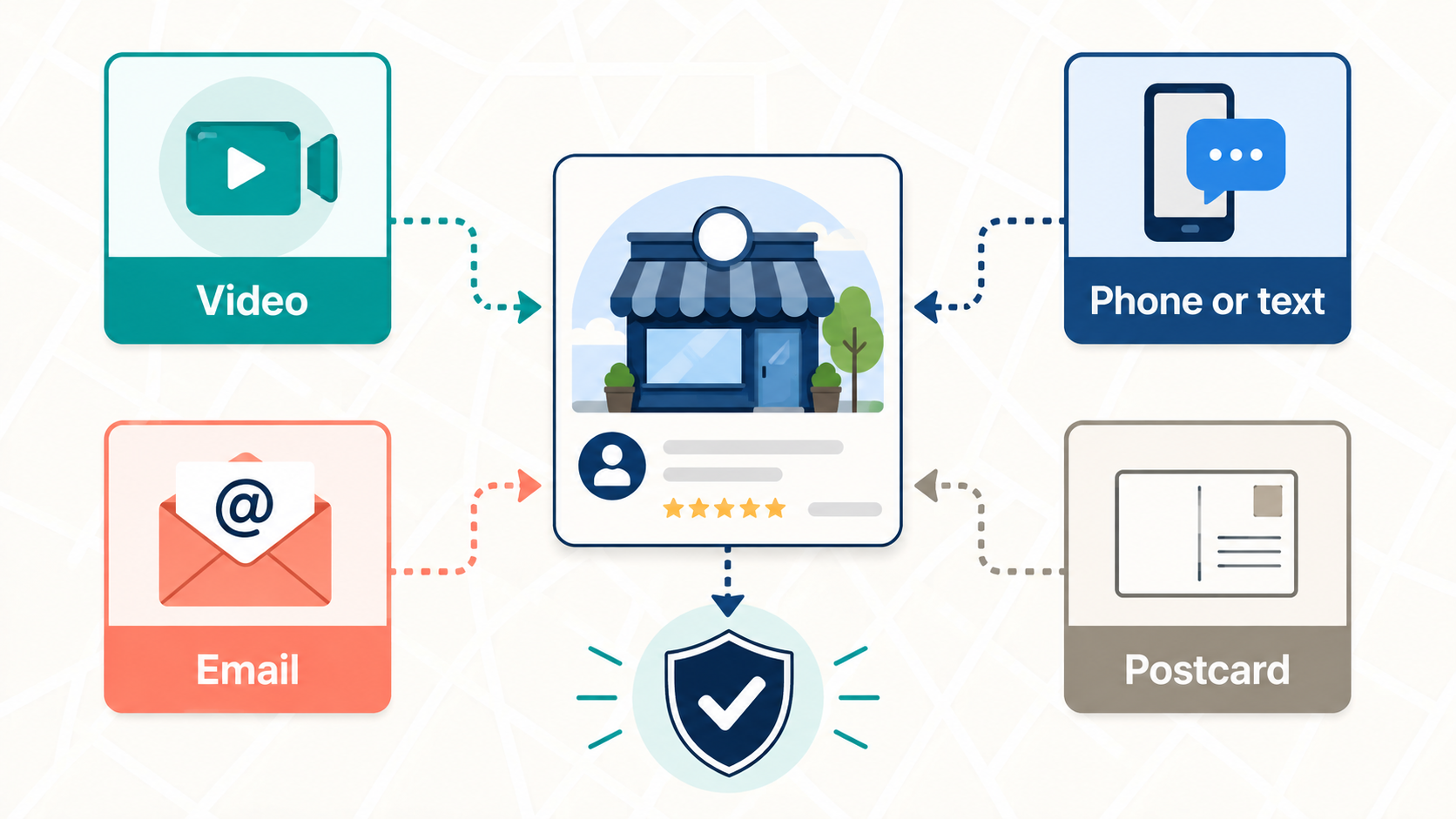
Currently, Google's help page lists phone or text, email, live video call, video recording, and postcard. Which ones appear on your profile depends on your business type, your public footprint, your region, and your hours. Some businesses see one option. Some see three.
Google also says it may require more than one method for the same profile.
Google's own recommendation is video, when it's offered. In practice that's what most new service businesses in Northeast Florida are getting now. Postcards still show up for some storefronts, but they're no longer the default the way they were a few years ago.
A few practical notes on the simpler methods. Phone verification sends a code to the number on the profile, and an automated phone tree won't receive it, so if your main line routes through a menu, expect that option to fail. Email verification requires access to the address Google displays on the verification screen, which is sometimes an old one from when the profile was first created.
Video verification, from a truck or from a storefront
This is the one that trips people, so it gets the most space here.
The recording has to happen live, inside the Business Profile app on your phone. You can't shoot it earlier and upload it, and you can't edit it. Google wants one continuous take, at least 30 seconds, with no cuts. It also can't include other people's faces or anything sensitive like a tax ID or bank information.
What you film depends on whether you have a storefront.
If you have a signed location
For example, a shop, an office with permanent signage or a restaurant. Google wants three things in the video.
- The street context: a street sign, the building number, or a neighboring business that pins you to the address on the map.
- Proof the business exists: your signage, with the name matching the profile exactly.
- Proof you run it: open the register, walk into the back room, log into the point-of-sale. Something a customer couldn't do.
If you're a service-area business (plumber, roofer, landscaper, junk hauler working from a home base), the requirements shift. You still need the location, but Google explicitly allows filming street signs and landmarks in your neighborhood rather than your house. Then show the work: the truck with your name on it, the tools, branded shirts, the trailer. Then prove you manage it: unlock the branded van, or hold up a permit, invoice, or utility bill that carries the business name.
Two things we've seen go wrong. The name on the truck doesn't match the name on the profile, usually because the profile has extra words in it. And the video shows a driveway and a toolbox with no street sign, which Google reads as "could be anywhere." Plan the shot list before you press record. Thirty seconds goes fast when you're narrating and walking.
Google reviews the video and responds within five business days. If it's rejected, the profile shows a "Review issues" button, and Google tells you what was missing. Common rejections on its own page: business name not visible on the storefront, no nearby area shown, no proof of authorization. Your second video has to include everything from the first plus whatever was flagged.
Postcard verification, and the clock you can't see
If postcard is offered and you choose it, Google mails a five-digit code to the address on the profile. Google says most arrive within 14 days. The code expires 30 days after it's sent.
The rules during the wait are what cause the problems. If you edit the business name, address, or category while the card is in the mail, the code stops working. If you request a second card because you got impatient, Google cancels the first one and starts over. Owners who "just check one thing" on the profile in week two end up back at day zero.
Keep the code to yourself when it arrives. Google states it will never ask for the code, and it shouldn't be shared even with someone helping you manage the profile. Anyone who calls claiming to be Google and asks for it is not Google.
After you submit
Google can take up to five business days to review any method. Some profiles verify instantly, usually when the website is already verified in Google Search Console, which is one of the quieter reasons to have Search Console set up before you start.
Three signals tell you something didn't take:
- The "Get verified" button reappears. Google couldn't fully confirm the business. Try again, and if more than one method is listed, try a different one.
- A "Review issues" notice. Your video was rejected. Read the reasons and re-record.
- A request for additional information. You changed something on the profile recently and Google wants to re-verify. This one catches owners after a rebrand or a move.
Get the profile right before you verify, not after
Verification checks whether you're real. It doesn't check whether the profile follows Google's rules, and a profile that verifies with a tagline in the name or a home address showing on a service-area business will often get suspended later for the same setup. If your profile has already been suspended rather than just unverified, the fix is different. Start with What to do when Google suspends your Business Profile.
If you're setting up a new profile, or the "Get verified" button just came back for the third time, this is the point to get it right. Grow Local Flow does Google Business Profile verification and setup as a fixed-fee service for businesses in Jacksonville, St. Augustine, and St. Johns County: profile built to the current guidelines, a shot list for the video, and we can be on the phone while you record.
For businesses that want the listing enhanced after it's live, our Google Business Profile optimization service runs monthly.
Either way, the goal is a profile that verifies once and stays verified.
Helpful Resources from Google, as of September 2026:
Verify your business on Google
Verify your business with a video recording
Guidelines for representing your business on Google
About the Author: Chuck Anderson is the founder of Grow Local Flow and spent more than 20 years leading transformation and digital initiatives at JPMorgan Chase before launching Grow Local Flow to help Jacksonville and St. Augustine small businesses improve their online visibility.
Ready to Get Found by More Local Customers?
Start with our Free
Local Visibility Review. We'll show you where your business stands today and the highest-impact items to start engaging with new customers in 60 to 90 days. No sales pitch.
Simple, Transparent pricing | locally owned & operated
Local Visibility Services for Jacksonville, St Augustine & St Johns County Small Businesses
Get found on Google, Google Maps, and AI search tools like ChatGPT, and turn that visibility into calls and customers. As a local St. Johns, FL business, we understand the market, the community, and what local customers are looking for. Plain-English plans, no long term contracts.
Get found on Google, Google maps, and AI search tools like ChatGPT.
Starting at $299/mo
Show up in Google results and maps where local customers are searching.
$299 Setup & optimization
Mobile-first, conversion-focused websites built to turn visitors into leads.
$199 + $89/mo hosting
See where you stand on Google and if AI tools like ChatGPT find you.