
What Should You Do if you have a Duplicate Google Business Profile?
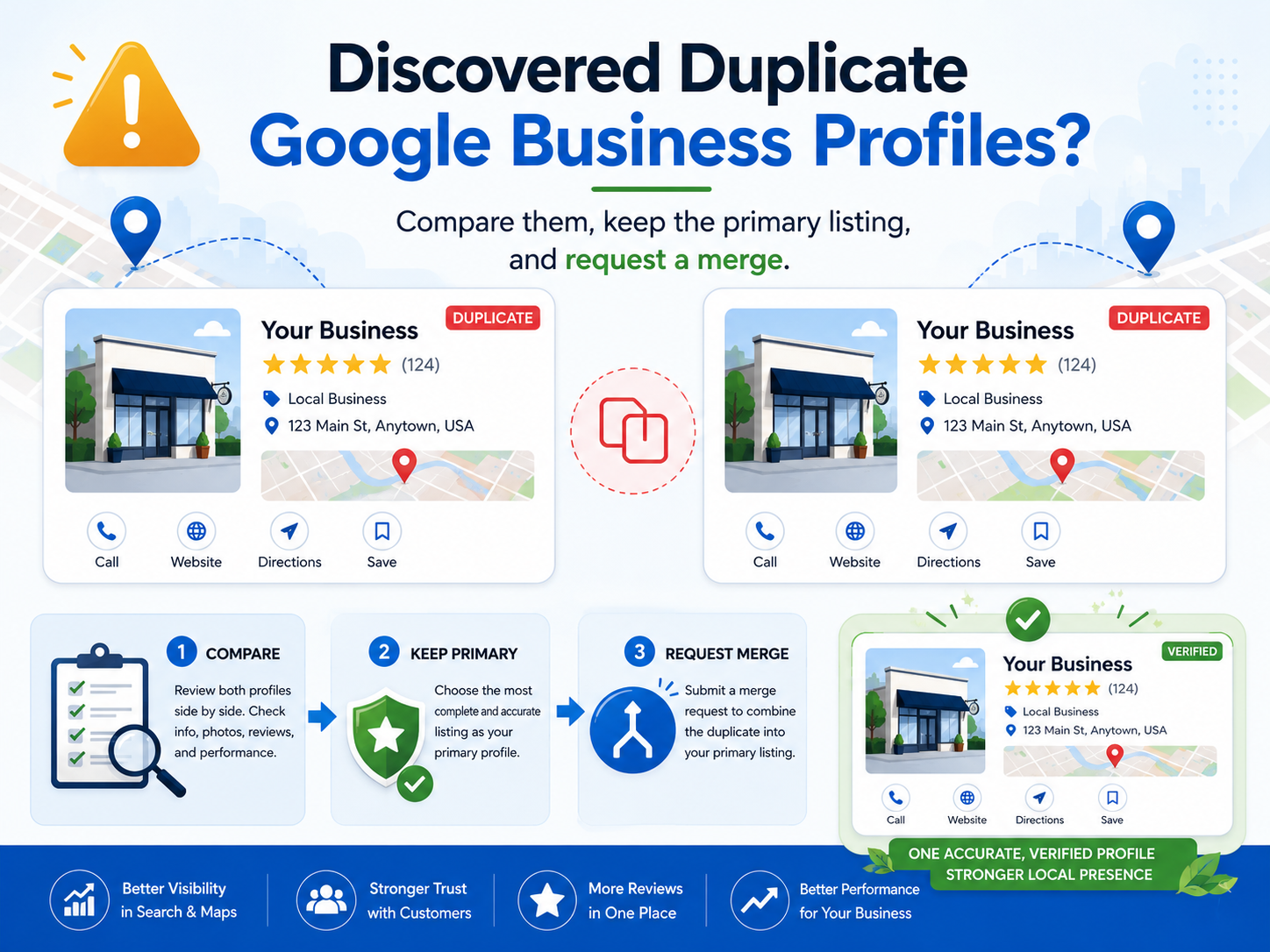
Don't delete it, deleting can wipe reviews and confuse Google. Instead, report the duplicate and ask Google to merge the listings so all reviews and history consolidate onto one verified profile. Keep the profile with the most reviews and correct information as your primary, then verify it.
Finding a second Google Business Profile for your business usually triggers the same instinct: delete the extra one. In most cases that is the wrong move.
Deleting a duplicate can erase reviews, ranking history, and trust signals built over years. The safer approach is to have Google merge the duplicate into your primary profile so that history carries forward.
Why Duplicates Hurt Your Local Visibility
Your Google Business Profile is one of the strongest factors in whether you appear in Google Maps and local search results. When two listings exist for the same business, Google splits the signals between them. Reviews land on one profile while engagement builds on the other, and rankings suffer on both.
Google may also read the two listings as conflicting information rather than a stronger combined presence. One consolidated profile also gives AI search tools a single, consistent source of business information, which matters more every year.
If You Own Both Listings
Step 1: Confirm they are true duplicates
Both listings should show the same business name, phone number, address or service area, and primary business category. If all four match, you are dealing with a duplicate.
Step 2: Choose your primary listing
Keep the listing with the most reviews, the strongest Maps rankings, the longest history, and verified ownership. In most cases the older, stronger listing should remain the primary. Incomplete business information can be fixed in an afternoon. Review history and ranking history cannot.
Step 3: Request the merge
Contact Google Business Profile support and provide the URL or Place ID for both listings. A short request is enough:
“These two Google Business Profiles represent the same business. Please merge the duplicate into the primary listing so reviews and ranking signals are preserved.”
Google reviews the request and decides whether the listings qualify for a merge.
If the Duplicate Was Never Verified
If you manage an unverified duplicate, you can remove your access directly:
- Open the duplicate profile.
- Go to Business Profile Settings.
- Select Remove Business Profile.
- Choose Remove profile content and managers, when available.
This removes your management access. The listing itself may still appear on Google Maps.
If You Don’t Control the Duplicate
Duplicates created automatically by Google, or controlled by someone else, can be reported through Google Maps. Open the duplicate listing, select Suggest an edit, choose Close or remove, then select Duplicate of another place and point it to your primary listing. Google reviews these requests before merging or removing anything.
Compare Before You Remove Anything
Business owners often remove the profile with years of ranking history because it looks less polished. Before acting, compare review counts, Maps rankings, listing age, verification status, and which profile customers actually recognize. Those five factors usually identify the listing worth keeping.
When It Gets Complicated
Some situations need more care: reviews spread across both listings, a business that has moved, previous managers who no longer respond, an automatic listing created by Google, or verification problems that block changes. Handled carelessly, these are the cases where review history gets lost for good.
Get a Second Opinion Before You Change Anything
If you are not sure which listing to keep, Grow Local Flow offers a Free Local Visibility Review. We identify duplicate listings, evaluate your local search visibility, and recommend the safest path forward before anything changes.
We also offer the following services that you may find useful:
FAQs
Will I lose my reviews if I delete a duplicate Google Business Profile?
You can. Reviews are attached to the specific listing, and deleting the wrong one can remove them permanently. Requesting a merge through Google Business Profile support preserves reviews and ranking history, which is why merging is almost always the safer option.
How do I get Google to merge two Business Profiles?
Contact Google Business Profile support and provide the URL or Place ID for both listings. State that the two profiles represent the same business and ask Google to merge the duplicate into the primary listing. Google reviews the request and decides whether the listings qualify.
How long does a Google Business Profile merge take?
Google does not publish a fixed timeline. Straightforward merges are often completed within a few days, while cases involving moved locations, ownership disputes, or verification problems can take several weeks.
Why does my business have two Google Business Profiles?
Common causes include Google creating a listing automatically from third-party data, a business move that produced a second address, a previous owner or manager setting up a separate profile, or repeated verification attempts. The cause matters because it determines whether you can remove the duplicate yourself or need to report it through Google Maps.
Can I report a duplicate listing I do not control?
Yes. Open the duplicate listing in Google Maps, select Suggest an edit, choose Close or remove, then select Duplicate of another place and point it to your primary listing. Google reviews these reports before merging or removing anything.
What happens to the duplicate listing after a merge?
When Google approves a merge, the duplicate is removed from Google Maps and its reviews are typically transferred to the primary listing. Ranking signals consolidate on the remaining profile, which usually strengthens its position in local search results.
About the Author: Chuck Anderson is the founder of Grow Local Flow and spent more than 20 years leading transformation and digital initiatives at JPMorgan Chase before launching Grow Local Flow to help Jacksonville and St. Augustine small businesses improve their online visibility.
Ready to Get Found by More Local Customers?
Start with our Free
Local Visibility Review. We'll show you where your business stands today and the highest-impact items to start engaging with new customers in 60 to 90 days. No sales pitch.
Simple, Transparent pricing | locally owned & operated
Local Visibility Services for Jacksonville, St Augustine & St Johns County Small Businesses
Get found on Google, Google Maps, and AI search tools like ChatGPT, and turn that visibility into calls and customers. As a local St. Johns, FL business, we understand the market, the community, and what local customers are looking for. Plain-English plans, no long term contracts.
Get found on Google, Google maps, and AI search tools like ChatGPT.
Monthly Marketing Plans starting at $299/month for Starter Plan and up to $1,199/month for Complete Visibility plan
Show up in Google results and maps where local customers are searching.
Google Business Profile Optimization for $299 one time, and on-going management for $299/month
Mobile-first, conversion-focused websites built to turn visitors into leads.
Custom Website setup for $199, then $89/month for ongoing hosting and support
See where you stand on Google, Maps and if AI tools like ChatGPT find you.